
FD777 APK Download: Android, iOS and PC (v2.4.9, 2026)
Search for the FD777 APK and you get a wall of mirror sites, most of them wrapped in a redirect and half of them serving a file nobody has looked at. The honest version is short: it is one Android package, version 2.4.9, about 48 MB, and the only copy worth putting on your phone is the one the operator serves itself. Everything below came out of installing it on four handsets, including the two installs that failed the first time.
What you actually get when you download FD777
The APK is not on Google Play and never will be — Play's policy does not admit real-money gambling apps for the Pakistani market, so the operator distributes the file itself. That is normal for this category, and it is also why the install involves two warning screens that a Play Store install would not show you. Neither warning means the file is infected. Both mean Android cannot vouch for a package it did not serve.
Third-party APK mirrors, Telegram channels and "modded FD777 unlimited coins" posts are exactly how modified and malicious builds spread. A repackaged APK can look identical, carry the same icon and the same version number, and still ship an extra payload that reads your SMS — which is how one-time passwords get stolen. Use the operator's own link, or use the browser and install nothing.
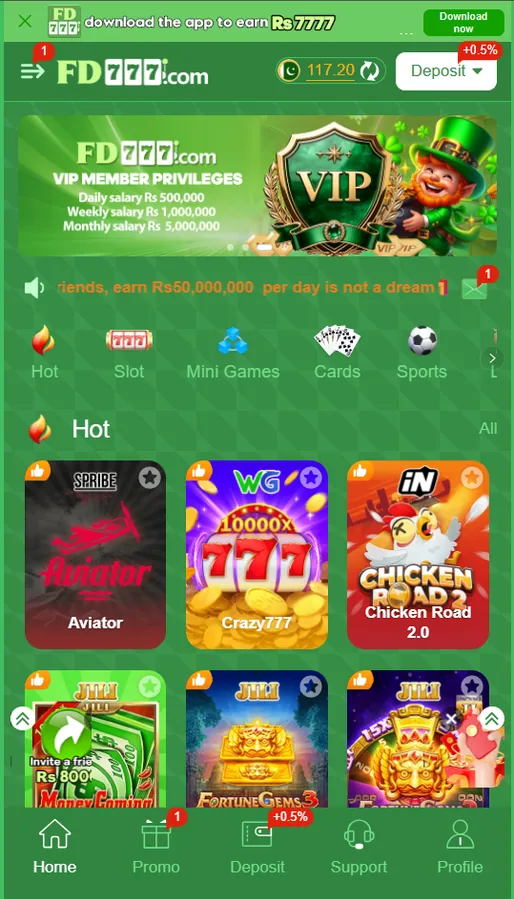
Get the official FD777 app (v2.4.9) (opens fd777.cc in a new tab, affiliate link)
Once it is installed, the next two things most people want are creating an FD777 account and applying the invite code and funding it through JazzCash or Easypaisa. Neither needs the app specifically — both work in the browser too — but the app handles OTP autofill better, which matters more than it sounds.
How to install the FD777 APK on Android, step by step
- Open the official platform in Chrome
Tap the download button on this page. It opens fd777.cc in a new tab, which is the operator's own site. The APK link sits on the platform's own landing page — you are not being handed off to a file-locker or a mirror. If a page ever asks you to complete a survey or install a 'downloader' first, close it; that is not the real thing.
- Let Chrome finish the download
The file is roughly 48 MB. On a 4G connection in Karachi it took us between 40 and 90 seconds. Chrome will warn that this type of file can harm your device — that warning appears for every APK ever downloaded outside the Play Store, so tap Download anyway, then wait for the notification to say the download completed rather than opening it at 99%.
- Allow installs from Chrome, not from the whole phone
Tap the downloaded file. Android 8.0 and newer will say Chrome is not allowed to install unknown apps and offer a Settings shortcut. Toggle 'Allow from this source' for Chrome only, then press back. The old global 'Unknown sources' switch was removed years ago; the permission is now per-app, which is why turning something on once does not cover every browser or file manager you use.
- Read the Play Protect prompt before you dismiss it
Google Play Protect scans sideloaded packages and will usually say the app was not recognised or is unsafe. That message is about the app being unsigned by a Play-registered developer, not proof of malware — every APK installed outside the store gets it. Choose 'Install anyway' if you are happy to proceed. If you are not, the browser version works fine and installs nothing.
- Install, then open the app once before you do anything else
Installation takes about 15 seconds on a mid-range handset. Open the app straight away and let it pull its first content update — ours downloaded roughly 20 MB of game assets on first launch, so do that on Wi-Fi if your data is metered. Only then log in or create the account.
- Sign in or register, and turn on the app lock
Register with a Pakistani mobile number, verify it by SMS, and set a login password. Do this before you deposit anything. An unverified number is one of the most common reasons a first withdrawal gets held, and fixing it later is slower than doing it now.
The step people skip is the last one. Registering and verifying the number takes two minutes on day one and saves an argument with support later. We have written the whole flow up separately, including where the code goes, on the FD777 registration guide.
Android 14 and 15: when the permission toggle is greyed out
This one genuinely caught us out. On a Samsung A15 running Android 14, the "Allow from this source" switch simply refused to move — no error, no explanation, just a dead toggle. Android calls it a restricted setting, and it exists to stop a sideloaded app from quietly granting itself accessibility or notification-listener access. The block is applied to the installer, so the fix lives on the browser or file manager, not on FD777.
The exact path is: Settings → Apps → Chrome (or whichever app downloaded the file) → the three-dot menu at the top right → Allow restricted settings. Some OEM skins word it differently. On Xiaomi HyperOS it appeared as "Allow restricted settings" under the same menu; on a Tecno running HiOS it needed the phone to be off Wi-Fi hotspot mode first, which is not documented anywhere sensible. If you cannot find the menu at all, the browser version of FD777 is the pragmatic escape hatch — it needs no permission at all.
Turning on "install unknown apps" for Chrome means Chrome can install packages from now on, not just this one. Turn it back off afterwards if you want to be tidy. It costs nothing and takes ten seconds.
FD777 on iPhone and iPad: there is no App Store build
We would rather say this plainly than pad the page with a fake iOS section. Apple does not list real-money gambling apps for markets where the operator has no local licence, so there is no FD777 in the Pakistani App Store. What you will find instead, if you go looking, is a small industry of sites offering an "FD777 IPA" or a TestFlight invite. Those are either unrelated apps riding the brand name or attempts to get you to install a configuration profile, which is a much worse idea than sideloading an APK.
The home-screen web app is genuinely fine. Safari keeps its own session, so you stay logged in between visits, and the layout is the same one the Android app wraps. Two things it does not do: push notifications for bonus events, and OTP autofill on some iOS versions, so you may need to copy the SMS code across manually. If you hit trouble getting back in, the FD777 login and account recovery guide covers the iOS session quirks too.
FD777 on PC and laptop
Desktop is the underrated route. Slots and the crash and live-dealer titles render fine on a wide screen, the deposit form is easier to type into, and you avoid the whole sideloading question. Some of the mini-game tables are laid out for portrait and look stretched, but nothing is unplayable.
Emulators are where I would push back. Running the APK inside BlueStacks or LDPlayer works mechanically, but you are adding a virtualised device fingerprint to an account that handles money. Anti-fraud systems on these platforms treat emulator signatures as a risk signal, and the cost of being wrong is a withdrawal sitting in manual review while you explain yourself over live chat. If you want FD777 on a laptop, use the browser. Our comparison of the Pakistani gaming apps goes into which platforms are stricter about this than others.
Download the app from the operator, not a mirror
Version 2.4.9, 48 MB, Android 6.0+. The same link opens the browser version if you would rather not install anything.
Open the official FD777 download (opens fd777.cc in a new tab, affiliate link)
Affiliate link · 18+ only · Deposits are non-refundable once staked. Read our responsible gaming guide before you fund an account.
FD777 install errors and what each one actually means
| Message you see | What is actually wrong | Fix |
|---|---|---|
| App not installed | An older FD777 build signed with a different key is still on the device. | Uninstall the old app completely, reboot, then install the new file. |
| Parse error | The file is truncated, or it was renamed and is not a valid package. | Delete the file and download it again over a stable connection. |
| There was a problem parsing the package | Same family as the parse error, but usually a minimum-OS mismatch on an old handset. | Check you are on Android 6.0 or newer. Below that, use the browser version. |
| Insufficient storage available | Android needs roughly three times the APK size free during install, not just 48 MB. | Clear at least 500 MB, empty the Downloads folder, then retry. |
| Blocked by Play Protect | Google does not recognise the developer signature. It is a trust warning, not a detection. | Tap "More details" then "Install anyway", or leave Play Protect on and use the browser instead. |
| Download stuck at 99% | The connection dropped near the end and Chrome is holding an incomplete file. | Cancel, clear Chrome's download list, switch to Wi-Fi, start the download again. |
| Signature mismatch on update | You are installing an official build over a sideloaded copy from a different source. | Uninstall first. Your account is server-side, so nothing is lost by removing the app. |
FD777 APK install errors, causes and fixes
Agar APK install nahi ho raha aur baar baar "app not installed" aa raha hai, the answer is almost always the leftover old copy — uninstall karo, phone restart karo, phir install karo. We reproduced every one of these deliberately across a Redmi Note 12, an Infinix Hot 30, a Samsung A15 and a Tecno Spark 10, and wrote up the longer version with screenshots in the seven APK install errors we hit and how we cleared each one.
How to check you have the real FD777 app
I want to be careful here, because plenty of pages present a checklist like this as if it were a security audit. It is not. A repackaged APK can carry the right icon, report the right version string, and land within a megabyte of the right size. Checksums would help, but the operator does not publish one, so there is nothing authoritative to compare against.
What the checks are good for is catching the lazy fakes, and most fakes are lazy. A 6 MB "FD777" file is a downloader stub. A 300 MB one has something extra bundled. A file that arrived through a WhatsApp forward has passed through hands you cannot see. If the provenance is anything other than the operator's own page, do not install it — and if you are still unsure whether the platform itself is worth using, our honest review of whether FD777 is real or fake is the page to read before the download, not after.
Updating the app without breaking anything
The app checks for updates on launch and will prompt you when there is a newer build. Take them. Older builds drift out of sync with the payment screens first, and a deposit form that silently fails is a miserable way to find out you are three versions behind.
If the update refuses to install, that is a signature problem, and it means your current copy came from somewhere other than the current official build. Uninstall, then install the fresh file. People hesitate here because they assume the balance sits in the app. It does not. Log back in with the same mobile number and password and everything is where you left it, including the saved receiving accounts on the withdrawal screen. The only thing you lose is the local cache, which the app rebuilds on first launch.
Registering costs nothing and lets you look around. Spend a day poking at the lobby, the mission list and the cashier before you put money in, and read what the bonus wagering actually requires so the first promo you accept is not a surprise. 18+ only, and never stake money you cannot afford to lose.
Create your FD777 account
Two-minute signup, where invite code 359304965 goes, and the SMS verification step most people skip.
Login and account recovery
Forgotten passwords, locked accounts, and the difference between the login password and the withdrawal password.
Deposit with JazzCash or Easypaisa
Minimum Rs 100, maximum Rs 100,000, plus what the 0.5% deposit badge is really worth.
Every FD777 question in one place
Limits, timings, fees, verification and the questions support gets asked most.
Frequently asked questions
Is the FD777 APK safe to download?
The build served from the operator's own domain is the only one we would install. Sideloading always carries more risk than a Play Store install because nothing checks the package for you, and third-party APK mirrors are exactly where modified builds with injected code get distributed. If that trade-off bothers you, use the browser version instead — it needs no install at all.
What is the latest FD777 APK version?
Version 2.4.9, around 48 MB, at the time of writing on 6 August 2026. The app does not always announce updates loudly, so if you have had it installed for months it is worth reinstalling from the official link rather than assuming you are current.
Is there an FD777 app on the Google Play Store?
No. Google Play does not accept real-money gambling apps for the Pakistani market, so there is no Play Store listing to find. Anything on Play using the FD777 name is not the platform. The distribution route is the operator's own APK or the mobile web app.
Does FD777 have an iOS app on the App Store?
No. There is no iPhone build and no IPA worth chasing. iOS users open the platform in Safari and add it to the home screen, which gives an icon and a full-screen window that behaves close enough to an app for daily use. Anyone selling you an FD777 IPA or a TestFlight invite is not connected to the operator.
Why does my phone say "App not installed"?
Most often because an older copy with a different signature is still on the device, or because storage is nearly full. Uninstall the old app, free up at least 500 MB, then install again. On phones with a work profile, check you are installing into your personal profile rather than the managed one.
The permission toggle is greyed out on my new phone. What now?
That is the Android 14 and 15 restricted-setting behaviour. Go to Settings, then Apps, pick the browser or file manager that downloaded the file, open the three-dot menu at the top right, and tap Allow restricted settings. The install-unknown-apps toggle becomes tappable after that.
Can I play FD777 on a PC or laptop?
Yes, through a normal desktop browser — Chrome, Edge or Firefox all load the platform, and the app itself carries a "Switch to PC" option. An emulator such as BlueStacks technically runs the APK, but it is a heavier, slower path and emulated device fingerprints sometimes trip the platform's device checks.
Will uninstalling the app delete my FD777 account?
No. The account lives on the operator's servers, tied to your registered mobile number, not to the installed package. Uninstalling removes the app and its local cache only. You log back in with the same number and password afterwards, which is why uninstalling is a safe fix for a broken update.
How can I tell a fake FD777 APK from the real one?
File size in the right ballpark, the domain you downloaded from, and the app icon are the three checks most people can actually do — and none of them is proof, because all three are trivial to copy. The only reliable protection is downloading from the operator's own link rather than a mirror or a WhatsApp forward.
Do I need to allow "install unknown apps" every time I update?
Usually no. Android remembers the permission for the specific app that opened the file, so if Chrome downloaded the first install it stays allowed for the next one. You will be asked again if you switch browsers, use a file manager instead, or reset app preferences.